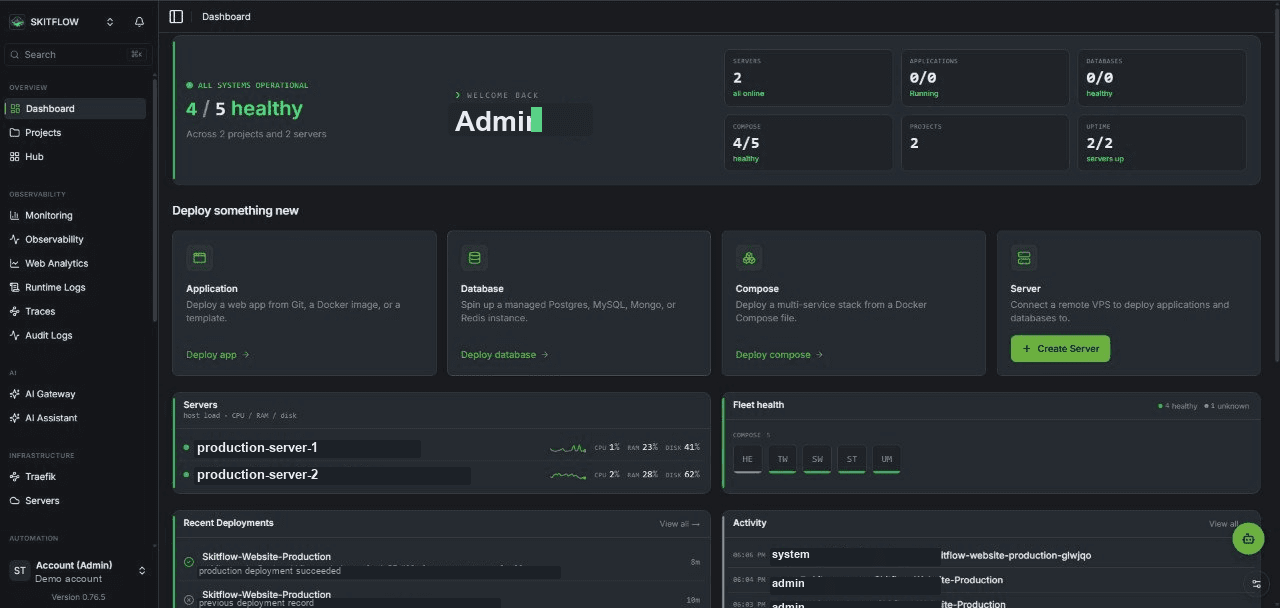
Installation
Get Skitflow up and running on your server within minutes with this easy-to-follow installation guide.
Follow these steps in order to set up Skitflow on your server and deploy your first application:
Requirements
- A Linux server (VPS or dedicated) with root access.
- 4 GB RAM minimum (8 GB recommended for builds).
- 30 GB disk space minimum.
- A public IP address and a domain name pointing to it (for HTTPS).
Tested Linux Distributions
- Ubuntu 24.04 LTS
- Ubuntu 22.04 LTS
- Ubuntu 20.04 LTS
- Debian 12
- Debian 11
- Fedora 40
The installation script requires root and uses Bash syntax.
Always pipe to bash, not sh — on Ubuntu and Debian, sh defaults to
dash, which does not support Bash arrays.
Install Skitflow
1. Point your domain at the server
Before installing, point a DNS A record (or CNAME) at your server's public
IP. Skitflow is designed to be served through Traefik with a real domain and
TLS; the domain is what you will use day to day, and the plain IP:3000
address is a bootstrap step only.
If you plan to use Let's Encrypt certificates, also export the ACME email before running the installer (otherwise certificates will not be issued):
export ACME_EMAIL=[email protected]2. Run the installer
curl -sSL https://skitflow.cloud/install.sh | sudo bashThe script will install Docker (if not present), set up PostgreSQL, Redis, Traefik, and the Skitflow control plane.
At the end of its output, the installer prints a one-time SETUP TOKEN (green line, right after "SETUP TOKEN:"). You will need it in the next step — keep the terminal output.
By default, the installer deploys the canary channel, which receives frequent updates and may be less stable. For production use, specify the stable channel:
curl -sSL https://skitflow.cloud/install.sh | sudo bash -s -- --channel stable3. Create an admin account (bootstrap via IP:3000)
Right after installation, Skitflow is temporarily reachable at
http://your-server-ip:3000. Open it in your browser: you will be redirected
to the initial setup page. Besides your name, email and password, the form
asks for the Setup token — paste the SETUP TOKEN from the installer
output.
The setup token is a deliberate protection: without it, anyone scanning the
internet for open IP:3000 instances could register first and take over
the instance in the minutes between installation and your first visit.
The token is printed only in your server terminal — do not share it.
This IP:3000 access is temporary and MUST be closed. The dashboard
served over plain HTTP on a raw IP has no TLS, is not protected by Traefik,
and exposes your control plane to the entire internet. After completing
step 4 (domain + HTTPS), port 3000 must be closed — see step 6.
Creating the first admin on a fresh installation automatically starts a 30-day Enterprise trial: every enterprise feature (SSO, SCIM, custom roles, audit logs, white-labeling, replicated storage) is enabled, with up to 3 connected servers (the platform host itself does not count). When the trial ends, the instance keeps working without the enterprise features; a license key unlocks them permanently.
4. Configure the domain and HTTPS via Traefik
In the dashboard, configure your domain (the one pointed at the server in
step 1) so Traefik issues a Let's Encrypt certificate and serves Skitflow at
https://your-domain.com. Verify that HTTPS works in your browser before
continuing — you will lock yourself out if you close port 3000 first.
5. SMTP and other settings
Set up SMTP for email notifications and invitations, and review the remaining settings (remote servers, AI gateway, OAuth) as needed.
6. Close port 3000 — required, not optional
Once your domain with HTTPS works, close direct dashboard access over
IP:3000 and switch the auth origin to the domain in one step (otherwise
member invitations keep pointing at the closed IP:3000):
docker service update \
  --publish-rm "published=3000,target=3000,mode=host" \
  --env-add BETTER_AUTH_URL=https://your-domain.com skitflow
This is a required security step, not a recommendation: while port 3000 stays open, your control plane remains reachable over unencrypted HTTP in bypass of Traefik and TLS.
To temporarily re-open it (e.g. for recovery when the domain is broken):
docker service update --publish-add "published=3000,target=3000,mode=host" skitflowBefore closing port 3000, make sure https://your-domain.com opens the
dashboard. If the domain or certificate is misconfigured, you will lose
access to the instance until the port is re-added from the server console.
Updating
To update Skitflow to the latest version:
curl -sSL https://skitflow.cloud/install.sh | sudo bash -s -- update