
Docker Swarm Cluster
Manage a multi-node Docker Swarm cluster in Skitflow.
Skitflow can run workloads on a single server or across a Docker Swarm cluster. Use a cluster when you need more capacity, node isolation, or higher resilience than one host can provide.
When to scale horizontally
Start with vertical scaling when possible: more CPU, RAM, and disk on the same server is simpler to operate. Move to a cluster when you need:
- Separate nodes for different workload classes.
- More total CPU/RAM than one server can provide.
- Manager/worker separation.
- Room for maintenance without stopping every workload.
Requirements
- A working Skitflow control-plane server.
- One or more additional Linux servers reachable over SSH.
- Docker installed or installable on each node.
- Matching CPU architecture across nodes that will run the same images.
- Registry credentials for images that workers must pull.
- Network connectivity between nodes for Docker Swarm traffic.
A cluster does not remove the need for backups. Swarm can reschedule services, but it does not magically protect application data stored on a lost disk.
Add nodes
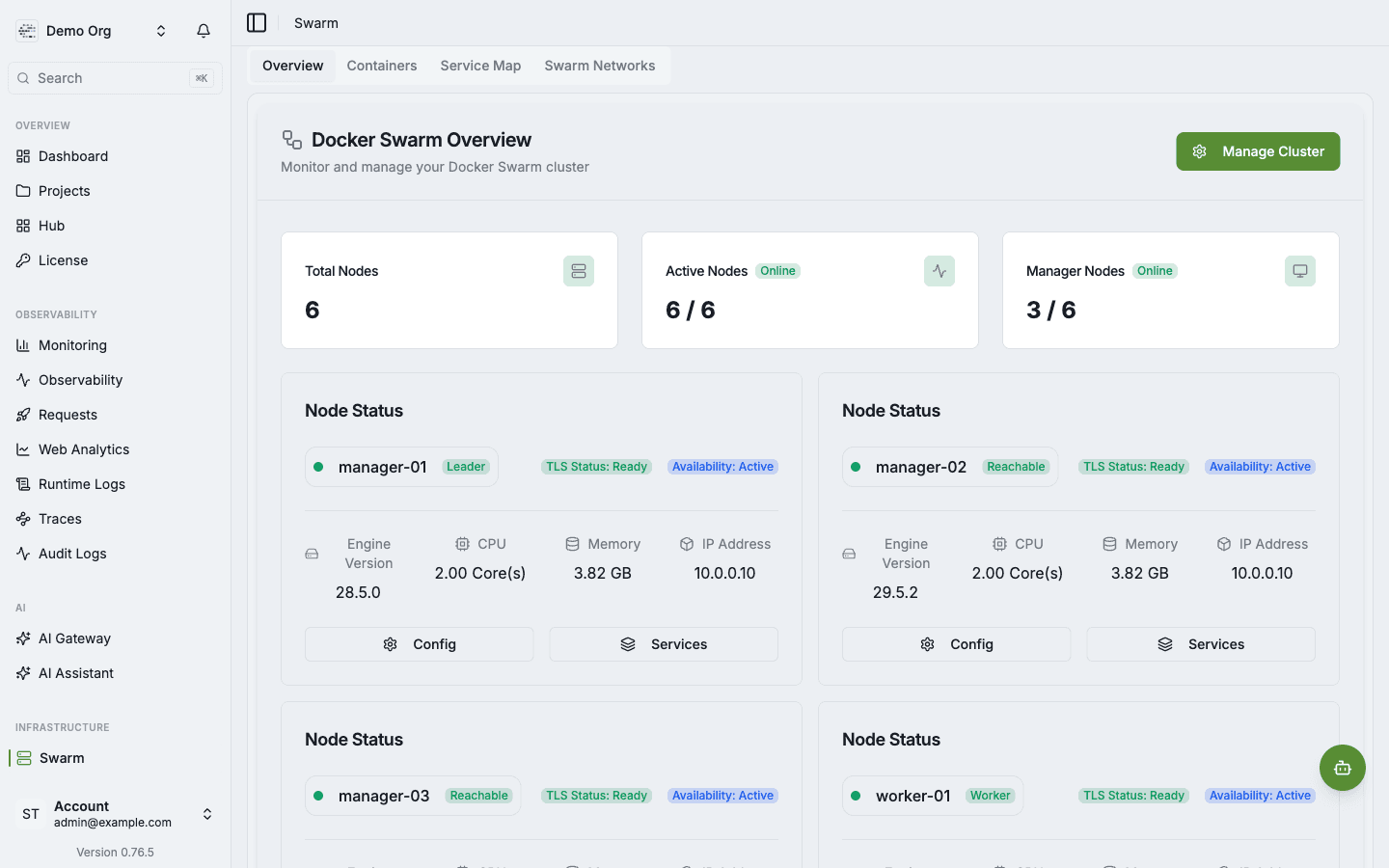
Open Infrastructure -> Swarm and click Manage Cluster. The setup flow helps you connect servers over SSH, join them as managers or workers, and verify that they appear online.
Managers maintain cluster state and schedule services. Workers run workloads under the rules set by the managers.
Verify cluster health
After adding nodes, check the Swarm overview:
- Total Nodes matches the expected server count.
- Active Nodes shows every node online.
- Manager Nodes shows the expected manager count.
- Every node has TLS Status: Ready and Availability: Active.
- Engine versions are compatible across the cluster.
Deploying to the cluster
For production workloads:
- Push application images to a registry that every node can access.
- Configure registry credentials in Skitflow.
- Deploy the application or Compose stack.
- Use health checks and rollback settings for long-running services.
- Monitor placement and resource usage in Swarm Monitoring.
Related
- Multi Server for connecting remote servers.
- Registry for image pull credentials.
- Swarm Monitoring for service map and container metrics.
- Production checklist before exposing cluster workloads to users.